# emotion安装和使用
npm install @emotion/react @emotion/styled
1
# styled
styled 用于创建带有样式的 React 组件。它支持继承样式、条件样式等。
export const StyledButton = styled.button`
  margin: 10px;
  padding: 10px;
  border-radius: 5px;
  background-color: #4CAF50;
  color: white;
  cursor: pointer;
`;
1
2
3
4
5
6
7
8
2
3
4
5
6
7
8
# css
css 是 emotion 中最基础的 API,它允许你以字符串模板或对象的形式编写样式。
字符串模板:
/** @jsxImportSource @emotion/react */
import { css } from '@emotion/react';

const buttonStyle = css`
  background-color: blue;
  color: white;
  padding: 10px;
`;

function App() {
  return <button css={buttonStyle}>Click me</button>;
}
1
2
3
4
5
6
7
8
9
10
11
12
2
3
4
5
6
7
8
9
10
11
12
对象语法:
const buttonStyle = css({
  backgroundColor: 'blue',
  color: 'white',
  padding: '10px',
});

function App() {
  return <button css={buttonStyle}>Click me</button>;
}
1
2
3
4
5
6
7
8
9
2
3
4
5
6
7
8
9
# 为编辑器开启标签css属性提示
我们在使用css方法的时候,在标签内使用css属性,并不会有提示,需要设置tsconfig来开启
{
  "compilerOptions": {
    "jsx": "react-jsx",
    "jsxImportSource": "@emotion/react"
  }
}
1
2
3
4
5
6
2
3
4
5
6
开启完之后我们发现页面样式并没有按照预期显示,打开调试工具一看,页面元素出现提示You have tried to stringify object returned from cssfunction. It isn't supposed to be used directly (e.g. as value of theclassNameprop), but rather handed to emotion so it can handle it (e.g. as value ofcss prop). css-9bzqo6
这是因为编译器在编译 JSX 时并不认识css属性,为此我们需要指示在编译 JSX 时@vitejs/plugin-react使用 Emotion 的jsx函数而不是默认的 jsx-runtime。我们通过将选项设置jsxImportSource为 来实现这一点@emotion/react。
# @emotion/babel-plugin
pnpm add @emotion/babel-plugin -D
1
修改vite.config.json
import { defineConfig } from "vite";
import react from "@vitejs/plugin-react";

// https://vitejs.dev/config/
export default defineConfig({
  plugins: [
    react({
      jsxImportSource: "@emotion/react",
      babel: {
        plugins: ["@emotion/babel-plugin"],
      },
    }),
  ],
});
1
2
3
4
5
6
7
8
9
10
11
12
13
14
2
3
4
5
6
7
8
9
10
11
12
13
14
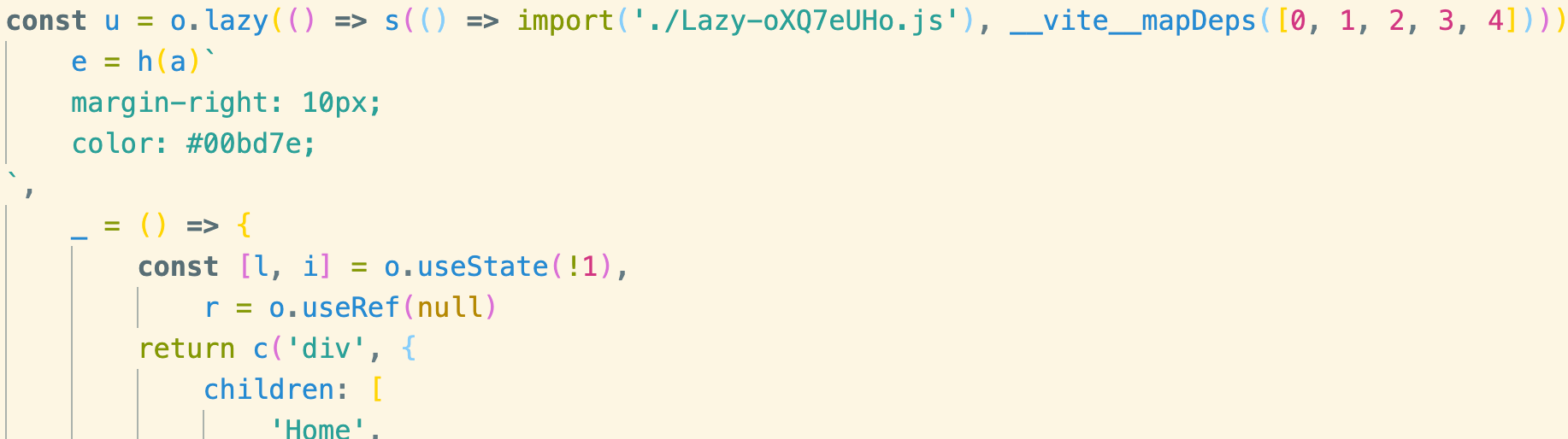
没有@emotion/babel-plugin时,build后的产物:
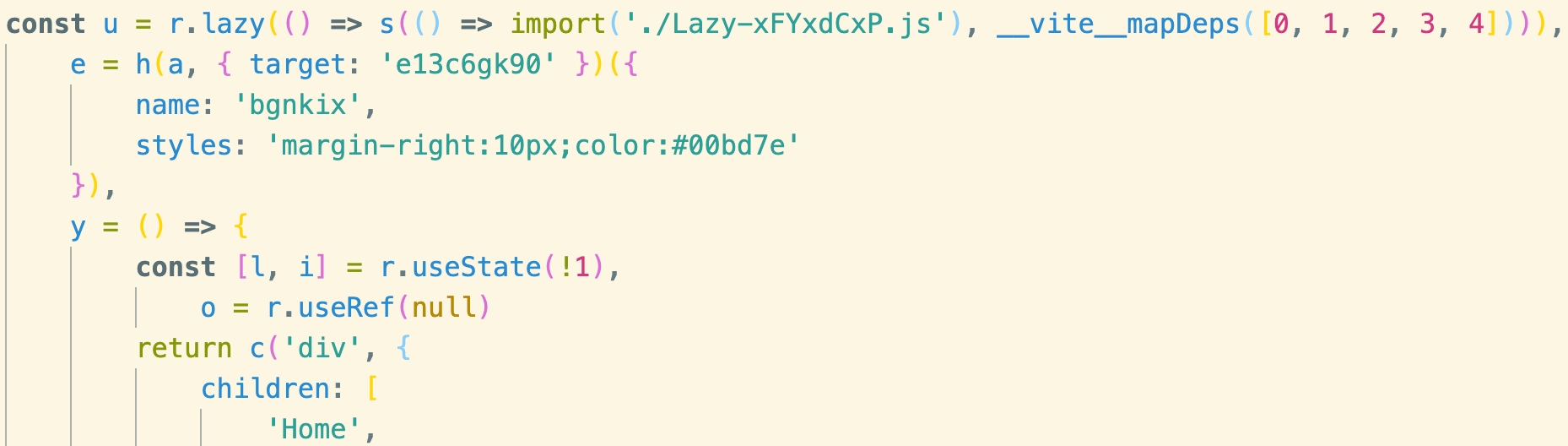
有@emotion/babel-plugin的构建产物:
# 优先级
此外,通过styled创建的组件,在使用时再给组件添加使用css创建的样式,css的样式优先级高于styled
const appClass = css`
  color: sandybrown;
  background-color: yellow;
`

const StyledButton = styled(Button)`
  margin: 10px;
  padding: 10px;
  border-radius: 5px;
  background-color: #4CAF50;
`;

<StyledButton css={appClass}>Button</StyledButton> // 最后按钮颜色显示为yellow
1
2
3
4
5
6
7
8
9
10
11
12
13
2
3
4
5
6
7
8
9
10
11
12
13